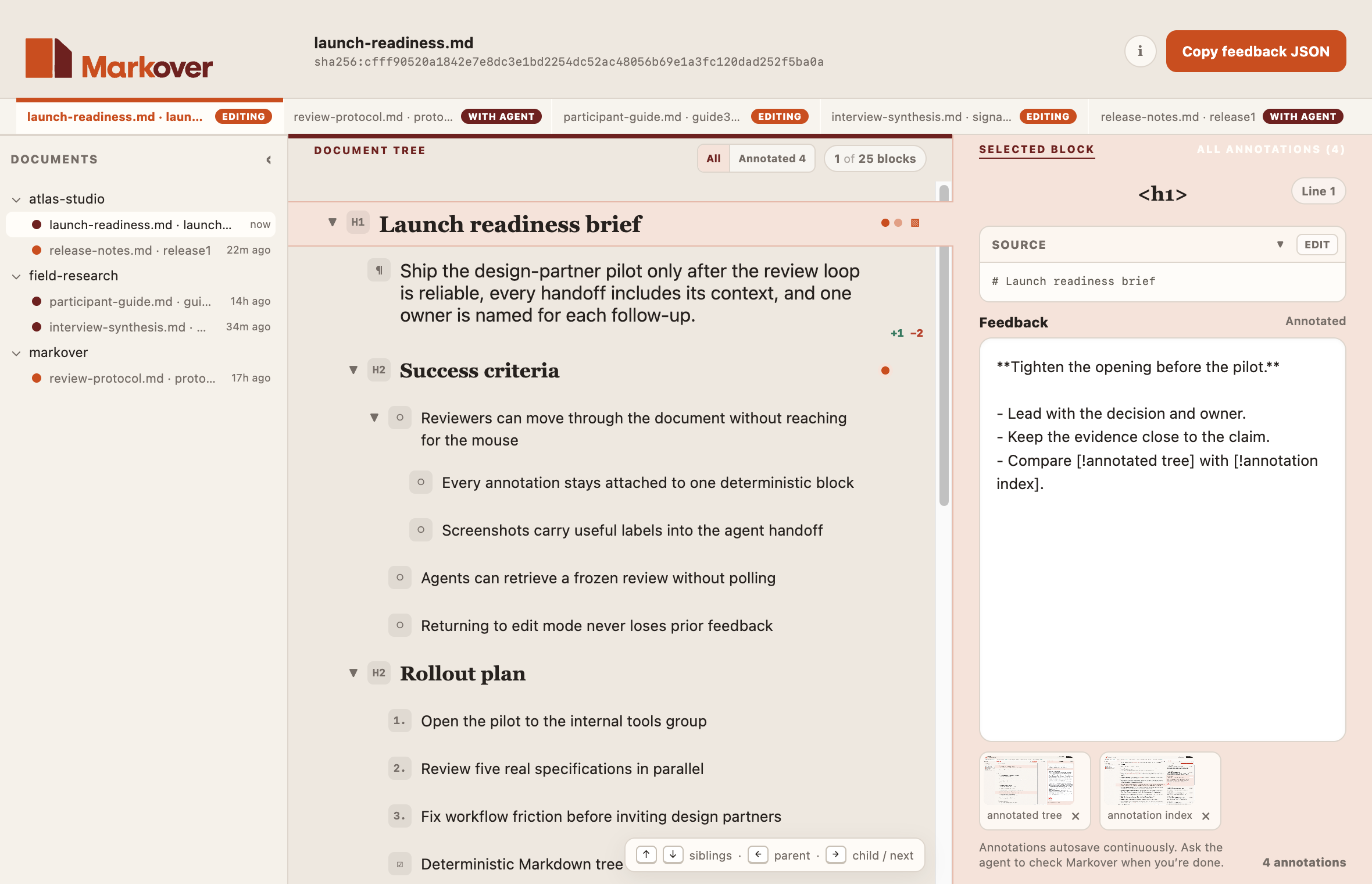
Navigate structure
Move through YAML frontmatter, headings, lists, paragraphs, code, tables, and block quotes as a tree.


Early macOS preview
Navigate Markdown as a tree, attach feedback to individual blocks, and return the complete review to an agent.
44-second walkthrough
Open a review, inspect block-level feedback and attachments, propose an exact source change, scan every annotation, and return structured JSON to the agent.
The 44-second silent demo uses burned-in captions and only invented fixture data.
Markover starts with a sanitized participant guide, then opens the launch-readiness review from the Needs me inbox. The current Ember Light App header and Pane layout with Left, Center, and Right panes establish the review. The reviewer sees agent-written Markdown as a document tree with feedback and two labeled images attached to one heading.
On the opening paragraph, Markover displays an exact word-level source proposal without changing the source document. The reviewer switches to Projects and All annotations to scan the complete review.
Finally, the CLI (running against demo fixture data) returns structured JSON containing the review status, block feedback, attachment IDs and labels, and source proposal. The demo ends on the Markover lockup, “Structured review for Markdown,” and the repository address.
Free, MIT-licensed early preview. No account, no telemetry; ordinary review data stays in your macOS account. Requires Apple Silicon, macOS 14+, and Node.js 22.13+ for the launcher.
Move through YAML frontmatter, headings, lists, paragraphs, code, tables, and block quotes as a tree.
Attach feedback and screenshots to the Markdown blocks that need attention.
Send a complete review back to the agent without flattening the document’s structure.
The workflow
Agent opens a Markdown document for review in Markover.
Reviewer navigates, annotates, attaches a screenshot… then tells the agent “Check Markover”.
Agent retrieves one frozen structured handoff from Markover.